
For families
Your child’s day at the center, in one app.
Check your child in at drop-off and out at pickup, report an absence, message the front desk, read incident reports and pay tuition if your center bills in the app.
Your center sets up your account and sends the invitation by email.


On Google Play now. Coming soon to the App Store.


At the door
Check in at drop-off and pickup.
At pickup, untick any child you aren’t taking home, and you get your number for today.
-
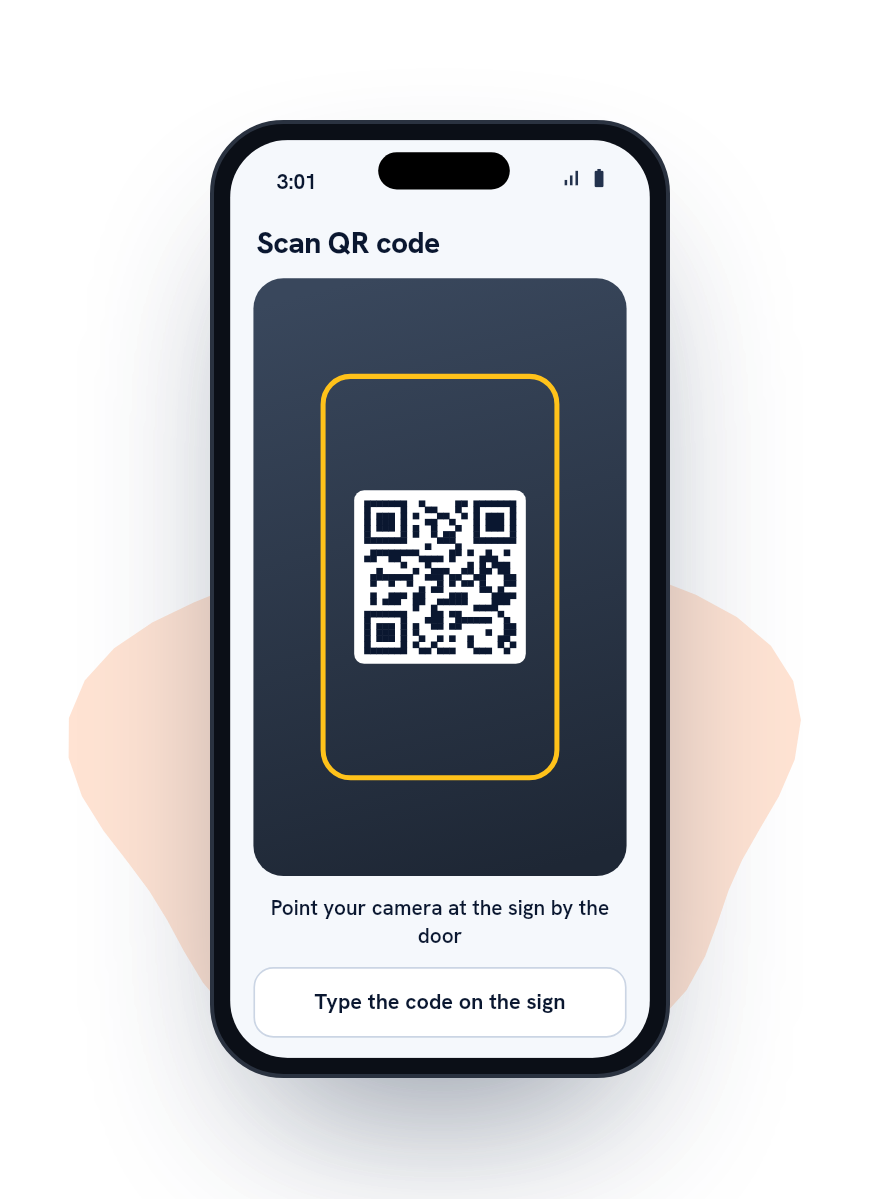
Scan the sign
Point the app’s camera at the sign by the door. The app reads only the sign’s own code.
-
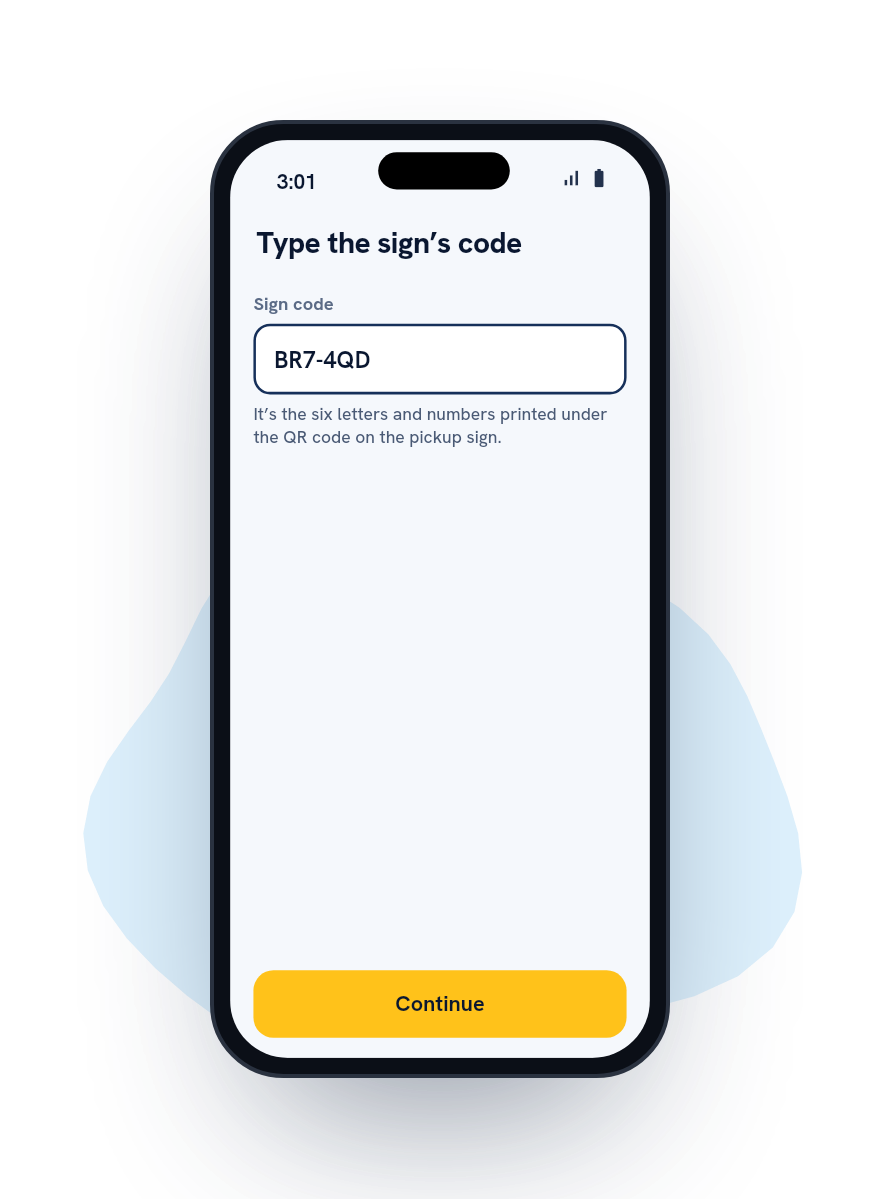
Type the code
The six characters printed under the QR code work the same way, if the camera won’t read it.
-
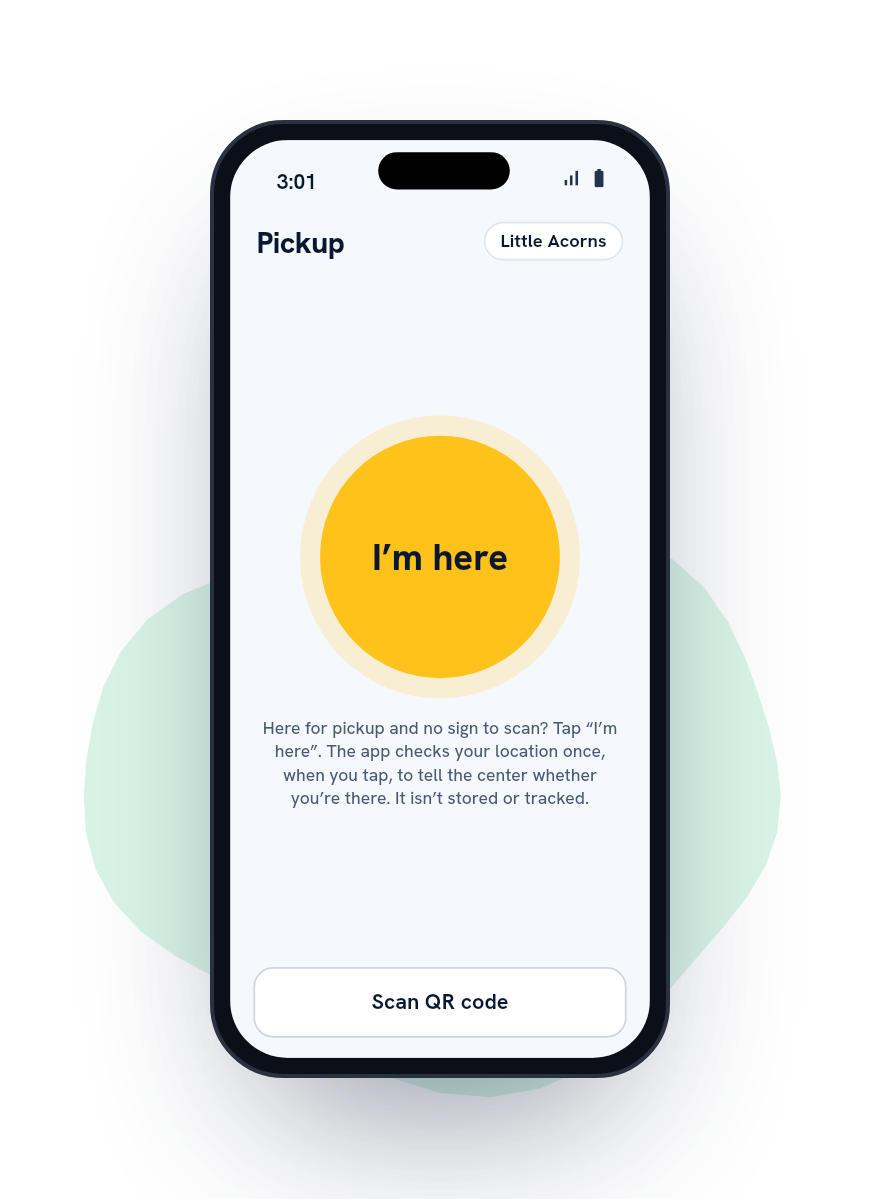
Tap I’m here
Where your center has turned it on. If it has set an area, the phone reads its location once, and the center learns only whether you were there.
Following along
See each step at pickup.
Your child is called when you check in, shows as on the way when the room sends them, and is with you once staff check them out.
If the center pauses pickup, the app tells you, but not why. You keep your place.
You get a notice in the app and by email when your child is checked out.

Someone else picking up
When Grandma’s picking up.
For today: file a change before the center’s cutoff with her full name. She shows photo ID at the door.
For every Tuesday: name her once, with her days and an end date if there is one. The center approves her, unless it has switched approval off.
Invite her to her own login, and she checks in for your children herself. She sees only today’s pickup for them.
A carpool with another family works the same way: each parent agrees for their own child. A custody order the center records always comes first.


Absences and changes
Absences, early pickups and changes ahead.
Book an early pickup with a time and a reason: an appointment, family, illness or other. Your child is called to the front desk a few minutes before.
Report an absence for today or days ahead, file a change for another day or set one to repeat, and see the next two weeks as the center sees them.
After the cutoff, the app tells you to call, or lets you ask the front desk, if your center takes late requests.

No phone
Forgot your phone?
Give the front desk your family card number or your name, and they check you in, if your center has that turned on.
No app on this phone? Scan the sign with its camera and check in from the page it opens.
Messages, reports and tuition
Messages, incident reports and paying tuition.
Read the center’s messages and ask the front desk a question in the app. If something happens, read the incident report and sign that you read it. Your emergency contacts are in the app too.
If your center bills tuition in the app, see your balance, pay by card or bank account and turn on autopay. Your pickup history shows who picked up and whether their ID was checked.

Your details
What the center sees about you.
Your name, email and phone, and which children are linked to you. Your children’s names, age group, room and usual way home, any change you file, and the record of each check-in and check-out.
No photos or home address. A birthdate only if your center asks on its enrollment form, and then kept private.
Where you are
Scanning the sign doesn’t use your location. If your center uses I’m here, the phone reads it once when you tap, and the center learns only whether you were there. Nothing runs in the background.
Your account
Change your details, choose English or Spanish, or delete your account, all from the app.
How do I get the app?
Your center invites you by email. The app is on Google Play now and coming soon to the App Store; without it, check in from the page the sign’s QR code opens.
Someone else is collecting today.
File a change in the app before your center’s cutoff, with their full name. They show photo ID at the door.
Can a grandparent or sitter collect regularly?
Yes. Name them with their days and an end date if there is one; your center approves them, and you can invite them to their own login.
Does the app track where I am?
No. If you tap I’m here and your center has set its area, the phone reads its location once, and we keep only whether you were at the center.
Can I see who collected my child?
Yes: each pickup, with who collected and whether their ID was checked.
Is it in Spanish?
Yes, the app and this site.
Families join through their center.
Your center adds you and sends the invitation by email. You can’t sign up on your own. If yours hasn’t arrived, ask the front desk.